

Homeowners: Keep Your Lights On During an Outage With a 13.5 kWh Solar Battery

No, a standard grid-tied solar array will shut off during a power outage. Your panels alone can’t power your home once the grid goes down. Only a system with battery storage plus a backup gateway, or a grid-forming inverter, can keep your essential circuits running. Daytime-only inverter modes offer some limited relief, but they’re a partial fix, not a real solution.
TL;DR:
Standard grid-tied solar systems shut down during outages due to anti-islanding safety rules enforced by UL 1741, which disconnects inverters within about 2 seconds.
Battery backup systems with hybrid or grid-forming inverters can create their own power source, allowing homes to run critical loads independently during outages.
Most backup setups involve a backup gateway or transfer switch that isolates essential circuits and switches to battery and solar power within a fraction of a second.
Critical-load subpanels and proper sizing of batteries, usually around 13.5 kWh for a Tesla Powerwall, provide 24 to 48 hours of backup for essential appliances during daylight hours.
Retrofitting existing solar systems for backup typically costs between $9,000 and $18,000 and requires compatibility checks, additional components, and permitting.
Table of Contents
Why Grid-Tied Solar Systems Shut Off During Power Outages
Your inverter isn’t broken when it shuts down during a blackout. It’s doing exactly what it’s designed to do.
This safety feature is called anti-islanding, and it exists to protect utility workers. If your system kept pushing power into the grid while crews were repairing downed lines, it could create a live, “islanded” section of grid that no one expects to be energized. That’s a serious hazard for anyone working on the lines.
The rules governing this behavior aren’t optional. IEEE 1547 and UL 1741 certification require inverters to detect a grid outage and disconnect within roughly 2 seconds. That’s built into the inverter’s firmware, not something you or your installer can adjust.
Here’s what that means for your system:
Your panels are not damaged by the outage. They simply stop feeding power to your home circuits.
Once utility power returns and stabilizes, a standard grid-tied inverter automatically reconnects and resumes normal operation.
No manual reset is typically needed for straightforward outages, though longer or unstable outages sometimes require a quick check once power is restored.
Anti-islanding cuts inverter output within about 2 seconds of grid loss, a rule enforced through UL 1741 certification on every compliant inverter sold in the U.S. market.
How Battery Backup and Backup Gateways Power Your Home During an Outage
A grid-tied inverter without a battery is like a car with no spare tire. It works fine until something goes wrong, and then you’re stuck. Adding a battery and a backup gateway changes that entirely.
Here’s the sequence that happens when the grid drops and you have a properly configured backup system:
The backup gateway or automatic transfer switch detects the outage and disconnects your home from the utility grid, the same way a standard inverter would.
The gateway isolates your home’s electrical system, creating a small, self-contained “island” that’s no longer tied to the utility feed.
Your battery and hybrid or grid-forming inverter take over, generating the AC power your home needs, the same voltage and frequency your appliances expect from the grid.
Solar panels continue charging the battery during daylight hours, extending your runtime instead of draining the battery on its own.
The distinction between inverter types matters here. A standard grid-tied inverter can only synchronize with an existing power source. A hybrid or grid-forming inverter can create that power source itself, which is what lets your home function as an independent electrical island.
Most modern backup gateways switch over quickly, often within a fraction of a second for electronic systems, so most homeowners barely notice the transition. Lights might flicker briefly. Your refrigerator keeps running. Your Wi-Fi router usually stays up.
During a daytime outage, this setup does double duty: your battery supplies your loads while your panels simultaneously recharge it, so a sunny afternoon outage can actually extend your runtime rather than shorten it.
Pro Tip: If you rely on a computer, medical device, or anything else that can’t tolerate even a brief power interruption, keep a small UPS (uninterruptible power supply) as an extra layer of protection. Gateway transfer is fast, but it’s not always an instant, zero-gap switch for the most sensitive equipment.
Comparing Your Backup Power Options: Batteries, Generators, and More
Not every household needs the same backup strategy. Your choice usually comes down to how often you lose power, how long outages tend to last, and how much you’re willing to spend upfront versus over time.
Battery storage systems run silently, produce no emissions, and deliver value every single day, not just during outages, by shifting your usage to avoid peak utility rates. The tradeoff is upfront cost and the need for correct sizing to match your critical loads.
Standby generators can power an entire home, including large loads like central air conditioning, and they’re often cheaper per kilowatt of output than batteries. But they require fuel storage and delivery logistics, regular maintenance, and they’re loud and produce exhaust emissions, which matters if you have close neighbors or live somewhere with strict noise ordinances.
Portable solar generators or standalone gas generators make sense for limited, temporary needs, like keeping a refrigerator and a few lamps running during a short outage, without the investment of a whole-home system.
Daytime-only inverter modes, such as the sunlight backup feature in Enphase’s IQ series, can deliver roughly 1.5 to 2 kilowatts to a dedicated outlet or a handful of circuits, but only while the sun is actually shining. Once it’s dark, that power disappears. It’s a legitimate low-cost option for charging phones or running a fan, but it’s not a substitute for a battery if you need power overnight.
The everyday value point is worth sitting with. A generator only earns its keep when the power is out. A battery system pays you back on sunny Tuesdays too, through time-of-use savings, in addition to standing ready for the next storm.
How to Size Your Battery Backup for Real-World Runtime
Sizing a battery system starts with an honest decision: do you want to power everything in your house, or just the essentials?
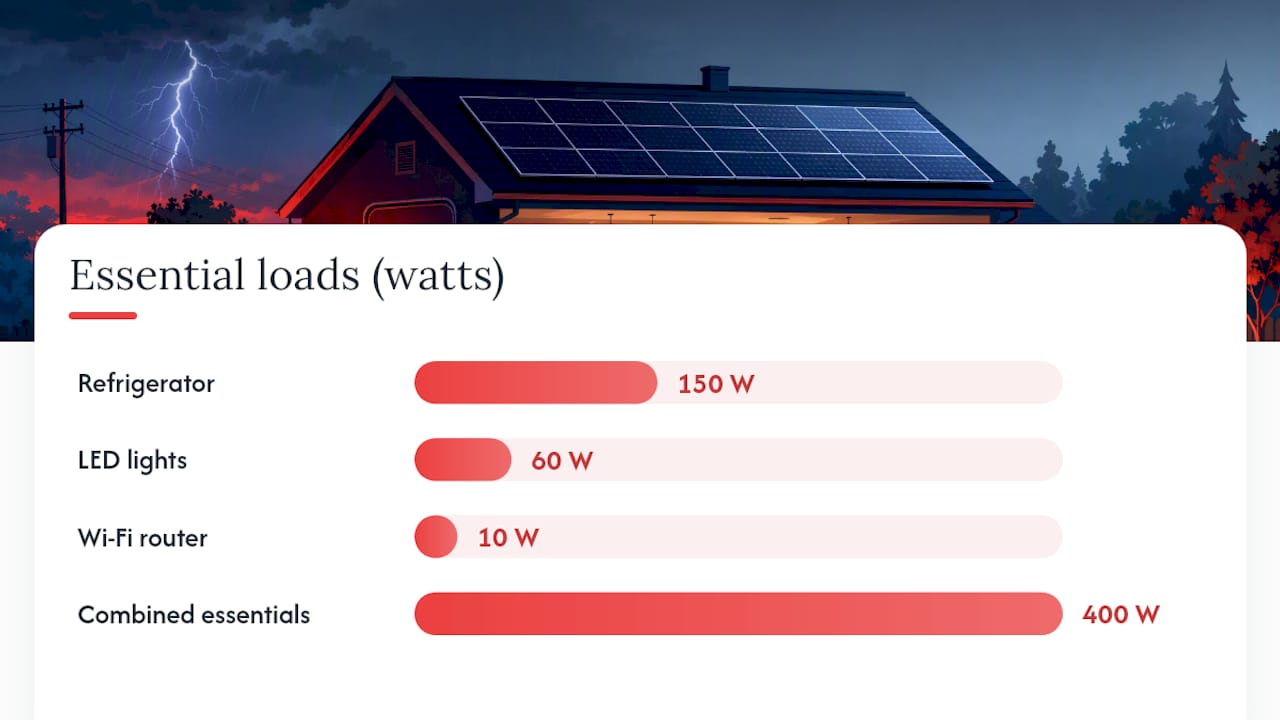
Most homeowners choose a critical-loads subpanel, a separate electrical panel wired to carry only the circuits that matter most during an outage, things like your refrigerator, some lighting, your Wi-Fi router, and a well pump if you have one. This approach uses less battery capacity and stretches your runtime considerably longer than trying to power a whole home, including energy-hungry appliances like central air conditioning or an electric dryer.
Here’s a simple way to estimate what you’ll need:
List your essential appliances and their wattage. A refrigerator might draw 150 watts running, a few LED lights maybe 60 watts combined, and a Wi-Fi router around 10 watts.
Add up total watts, then multiply by the hours you want backup. If your essentials draw roughly 400 watts combined and you want 24 hours of coverage, you need about 9.6 kilowatt hours.
Compare that to your battery’s usable capacity. A common residential battery, Tesla’s Powerwall, offers around 13.5 kWh of usable storage, enough to cover many households’ essentials for 24 to 48 hours, depending on consumption and whether solar recharges it during the day.
Factor in daytime recharge. If your outage happens during sunny hours, your panels are simultaneously topping off the battery, which can meaningfully stretch that 24 to 48 hour window.
Add a second battery if you need whole-home coverage or you’re running higher-draw items like air conditioning, since a single unit rarely covers those loads for an extended outage.
Whole-home backup, covering every circuit in the house without restriction, generally requires multiple battery units and a larger inverter, which typically runs two to four times the cost of a critical-loads-only setup. For most homeowners, a critical-loads system delivers the resilience that actually matters at a price that makes sense.
Retrofitting Your Existing Solar System for Outage Protection
If you already have solar panels but no battery, adding backup capability is one of the most common upgrades homeowners request. It’s rarely a simple bolt-on, but it’s also far from starting over.
A typical retrofit involves:
Adding a battery unit compatible with your existing inverter, or replacing the inverter with a hybrid model if your current one can’t communicate with a battery.
Installing a backup gateway or automatic transfer switch to manage the islanding process.
Wiring a critical-loads subpanel if you want to isolate specific circuits rather than backing up your entire electrical panel.
Scheduling a utility interconnection review and a permitting inspection, since adding storage to an existing grid-tied system often requires updated paperwork with your utility and local building department.
On cost, installed battery pricing commonly falls between $9,000 and $18,000 per unit, depending on battery size, labor complexity, and whether your existing inverter is already battery-compatible. Systems with a compatible inverter already in place are usually cheaper and faster to retrofit than ones requiring a full inverter swap.
A retrofit makes the most sense when your existing panels and inverter have real remaining service life. If your system is old enough that other components need replacing anyway, it’s often worth discussing a more complete upgrade with your installer rather than layering a battery onto aging equipment.
What To Do During and After a Power Outage
If you have a battery-backed system:
Confirm your backup panel or gateway has switched over. Check that your designated critical loads, like your refrigerator and lighting, are still running.
Cut back on nonessential loads to stretch your battery’s charge, especially if the outage happens overnight with no solar recharge available.
Monitor your battery’s state of charge through your system’s app so you know how much runway you have left.
If you don’t have battery backup, and you’re relying on a portable generator, always run it outdoors, away from windows and doors, to prevent carbon monoxide buildup. Conserve any power you can generate for essentials only.
Once grid power returns, follow the Facility Emergency Shutoff Checklist for Safety Officers to ensure all systems are safely secured:
Check your inverter status to confirm it has reconnected and resumed normal operation.
Verify breakers and any AC disconnects are in their proper positions.
If alarms persist or your system doesn’t reconnect on its own, call your installer rather than troubleshooting the equipment yourself.
Pro Tip: Never attempt to bypass anti-islanding protections or manually force a grid connection yourself. This isn’t just against utility rules, it’s genuinely dangerous for utility crews working nearby. Leave interconnection equipment to licensed electricians and your utility.
Maintenance Tips for Reliable Backup Performance
A backup system that hasn’t been checked in two years is a gamble, not a plan. The good news is that keeping it outage-ready doesn’t take much.
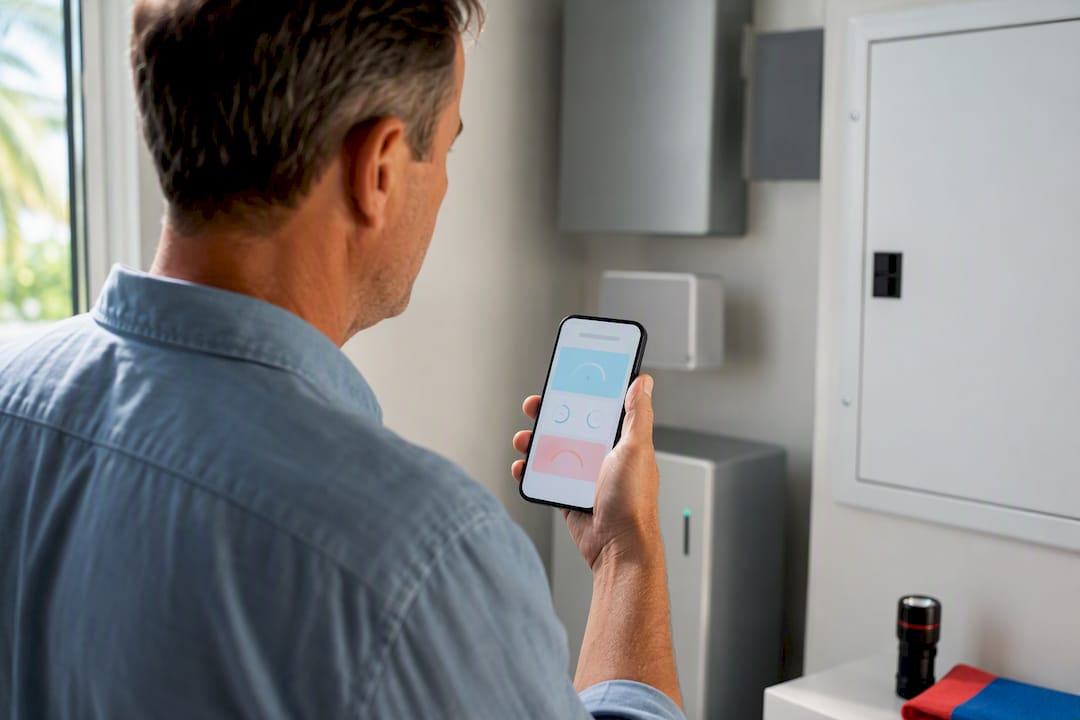
Start with your battery’s app or monitoring dashboard. Most systems let you check state of charge and system health remotely, so make it a habit to glance at it monthly, not just when a storm is forecast. If you notice your battery isn’t holding a full charge the way it used to, that’s worth flagging to your installer before you actually need it.
Keep your panels reasonably clean. Dust, pollen, and debris reduce output, which matters more than usual when your battery depends on solar recharge during an extended daytime outage. A light rinse a few times a year is usually enough for most Florida homes, more often if you’re near construction dust or heavy tree cover.
Test your system’s transfer function periodically if your equipment supports a manual test mode. Knowing your gateway actually switches over correctly, before a hurricane is bearing down on you, beats finding out during the real event.
Finally, keep your installer’s contact information somewhere accessible, not buried in an old email. Firmware updates, warranty service, and battery replacements are all things you want to handle before storm season, not during it.
Installer’s Take: What Actually Matters When You’re Planning Backup Power
Most homeowners want to back up everything. Ronnie’s advice: size for your critical loads first, then expand if budget allows. That approach gets you real resilience without overspending on capacity you’ll rarely use. Ask your installer directly about inverter compliance with IEEE 1547 and UL 1741, actual transfer timing, and whether the monitoring app gives you a clear read on battery status, not just marketing claims.
— Ronnie
How Florida Solar East Helps You Build Outage-Ready Backup
Florida Solar East is the direct route to a battery backed system, not a patchwork of separately purchased parts you have to hope work together. We install residential solar electric photovoltaic systems, hybrid inverters, and backup gateways as one coordinated system, backed by factory-trained installers and dedicated post-installation support.

If you’re retrofitting an existing array or starting fresh with a residential solar installation, have your last few utility bills handy and a rough list of what you want powered during an outage. That’s enough for us to build you an accurate proposal. Consult with a professional installer to schedule an estimate and learn about the costs of an outage-ready backup system for your home.
FAQ
Can You Use Solar Panels During a Power Outage?
Standard grid-tied solar panels shut off automatically during an outage due to anti-islanding safety requirements. You can only use solar power during a blackout if your system includes battery storage and a backup gateway or grid-forming inverter.
Can I Run My Home Off a Solar Battery If the Power Goes Down?
Yes, if your battery is paired with a backup gateway or compatible hybrid inverter, it can power your essential circuits during an outage. A common residential battery holds around 13.5 kWh of usable capacity, typically enough for critical loads for 24 to 48 hours depending on usage and solar recharge.
What Is the Best Backup Source for a Power Outage?
The best backup source depends on your priorities. Battery storage runs quietly, produces no emissions, and saves you money daily through time-of-use rate shifting, while a standby generator offers higher output for whole-home needs but requires fuel and regular maintenance.
Do Daytime-Only Inverter Modes Work Without a Battery?
Some inverters, like Enphase’s IQ series with sunlight backup, can supply limited power, roughly 1.5 to 2 kilowatts, to select circuits during daylight hours without a battery. That power disappears at night, so it works as a partial solution, not a full replacement for stored backup.
How Much Does It Cost to Add Battery Backup to an Existing Solar System?
Installed battery costs commonly fall between $9,000 and $18,000 per unit, depending on battery size, labor, and whether your existing inverter is already compatible.
Recommended

Comments